Inside Tend
What Tend does: a guide to your personal AI assistant
From the reply sitting in your inbox to the trip you keep putting off: a practical guide to Tend, your personal AI assistant.
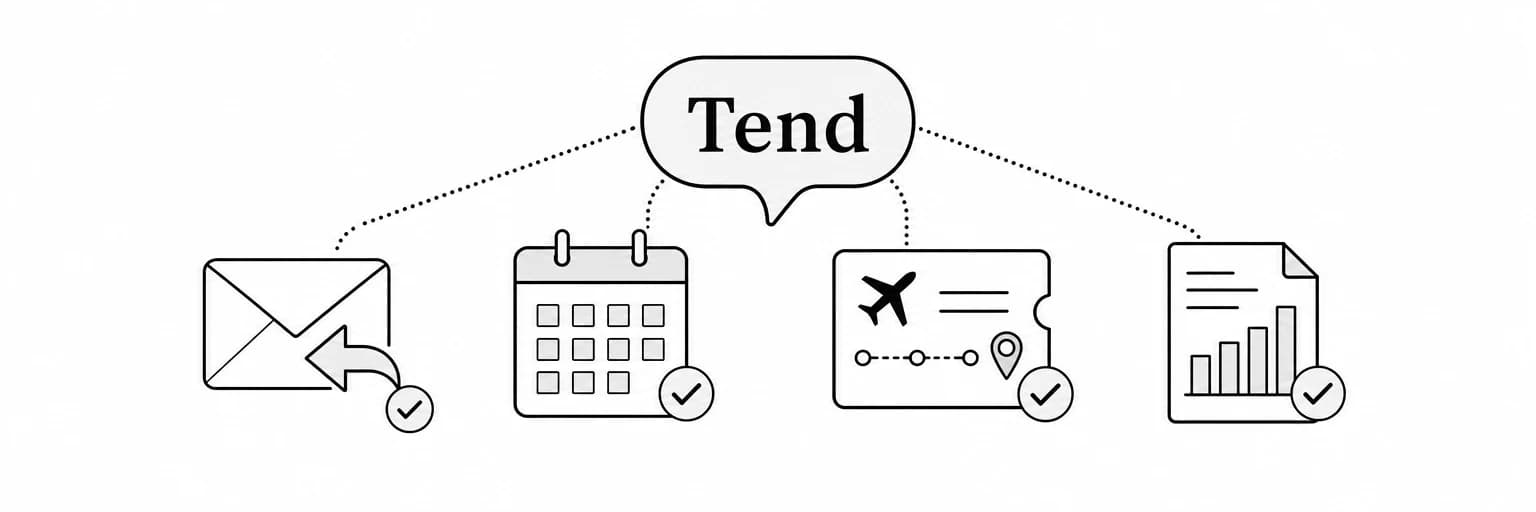
Tend is a personal AI assistant you can text through SMS or iMessage for the work that keeps collecting around your day: the email you need to answer, the meeting you need to prepare for, the trip you need to research and the client you need to follow up with. It combines messaging with connected accounts, research, document creation and personal memory. A web workspace also gives you access to conversations, accounts and the Brain view.
The useful question is what you can hand it and what you get back. This guide walks through the main workflows, examples of effective requests and the decisions you should review yourself.
What you can use Tend for
- Email: find relevant messages, understand a thread and prepare a reply.
- SMS and iMessage: give your agent a task and receive its reply in a text conversation.
- Meeting preparation: collect context and turn it into an agenda or brief.
- Travel and plans: research options and organize the details into a usable shortlist.
- Client work: prepare follow-ups, invoices and meeting materials.
- Documents: create slides, PDFs, reports and one-pagers.
- Ongoing work: keep track of a commitment or watch for a relevant update.
- Personal context: carry people, projects and preferences into later conversations.
The accounts and information you connect determine what your agent can work with. A task that depends on your inbox needs access to that inbox; a task based on notes can start with the notes you provide.
What is a personal AI agent?
A personal AI agent helps carry a request through several steps. For example, preparing for a meeting may involve finding an email thread, reading a document, identifying open questions and producing a brief. The finished result is something you can use in the meeting.
Tend is built around this kind of work. You describe the result you need, and the agent can gather context and use its available tools to prepare it. Its personal memory helps connect the task to things you have already told it.
You still need to judge whether the outcome is right. A useful AI assistant makes that review easier by producing a clear draft, shortlist or file, and asking when an important detail is missing.
Tend as an AI email assistant
An inbox request often has three parts: finding the right messages, understanding what they mean and deciding what to do next. Tend can help with all three when the relevant account is connected.
Useful requests include:
- “Find the latest thread about the proposal and tell me what is still unresolved.”
- “Summarize the messages I need to answer today, grouped by urgency.”
- “Draft a reply that confirms the meeting time and asks for the updated agenda.”
- “Find the attachment from the client and use it to prepare a short brief.”
A complete email workflow
Suppose a client sends several questions about a project. Ask Tend to identify the questions, look up the relevant project context and prepare a reply. Review whether it has answered each question and whether any sentence makes a promise you did not intend.
Then give corrections in concrete terms: “Remove the delivery commitment. We have not agreed on that date.” If you want the message sent, say which draft and recipient you are authorizing.
Tend’s agent is instructed to obtain your go-ahead before sending or changing something on connected accounts unless your existing instruction already authorizes it. That is a behavior requirement for the agent, rather than a claim that every action is held in a separate approval queue.
Meeting preparation and office work
Preparing for a meeting is a good first task because the output is easy to review. Give Tend the meeting topic, the people involved and the kind of preparation you need.
Prepare a one-page brief for tomorrow’s client meeting. Use the latest email thread and these notes. Include the current status, unresolved questions and decisions we need to make. Cite sources for any numbers.
A useful brief should contain:
- The purpose: why the meeting is happening and what success looks like.
- Relevant context: previous decisions and information the participants need.
- Open questions: issues that still need an answer.
- Next steps: proposals for discussion, distinguished from existing commitments.
You can also ask for an agenda, a short presentation or a follow-up draft. Keep the audience in mind: an internal working document can include uncertainty and detail that would distract from a client-facing update.
Travel research and everyday planning
Travel planning brings together constraints that are easy to lose across tabs: dates, budget, location, timing and preferences. Tend can research flights, hotels, restaurants and events, then organize the options for review.
Start with your constraints:
- The dates and destination.
- The budget range and what it includes.
- Preferences such as a nonstop flight, neighborhood or arrival time.
- The decision you want help making.
For example, ask for three hotel options near the meeting venue, with current prices, cancellation information where available and links to the booking pages. Explain which tradeoff matters most: cost, distance or flexibility.
Prices and availability can change between research and booking. Review the final terms at the point of purchase. Where the last step needs to be yours, ask Tend for a clear handoff with the relevant link and details.
Documents and deliverables
Tend can help create a file from a conversation, your notes and research. This is useful when the audience needs something they can read or present outside the chat.
| Deliverable | Useful information to provide | What to review |
|---|---|---|
| Meeting brief | Audience, topic, notes and desired decisions | Missing context and unsupported conclusions |
| Slide deck | Purpose, audience, length and source materials | Narrative, numbers and citations |
| PDF report | Scope, questions and preferred level of detail | Sources, assumptions and recommendations |
| Client one-pager | Recipient, goal and agreed project details | Promises, pricing and wording |
| Travel or planning page | Dates, constraints and preferences | Current availability and the final booking terms |
Be explicit about the format you need. “A five-slide update for an internal meeting” is a clearer instruction than “make a presentation.”
Memory makes follow-up work easier
A personal AI assistant with memory can carry useful context into a later request. Tend’s setup gathers information about you, while ongoing work can add people, preferences, projects and commitments to its Brain.
That context matters when a short request depends on something already discussed. “Draft the follow-up” may refer to a conversation, a project deadline and a preferred writing style. Memory can reduce repeated explanation, but an ambiguous request can still need clarification.
You can inspect the Brain view and correct information that is wrong or out of date. For more detail, read why memory matters in a personal AI assistant.
How to get better results from Tend
An effective request answers four questions:
- What is the outcome? A draft, a shortlist, a document or a completed step.
- What information should it use? Notes, a particular account, a thread or a project.
- What constraints matter? Budget, deadline, audience, tone or format.
- What are you authorizing? Research only, preparation for review or a specific external action.
After the first result, give a correction that the agent can apply. “Keep the summary to five bullets and separate facts from recommendations” is more actionable than “make it professional.”
Frequently asked questions
Can I use Tend over SMS or iMessage?
Yes. You can text Tend through SMS or iMessage. The web workspace is also available for conversations, connected accounts and inspecting personal memory.
Can Tend work with my email and calendar?
Tend can use connected accounts for relevant tasks. Check the Accounts view for the connections available to you, then connect the account required for your request.
Does Tend remember my preferences?
Its memory can retain preferences and context from setup and ongoing work. Use the Brain view to inspect what it has learned, and tell it when a preference changes or only applies to one situation.
Can I use Tend to prepare slides and PDFs?
Yes. Give it the purpose, audience and source material, then review the resulting file before presenting or sharing it. Check any figures and source-dependent claims.
How is Tend different from Instinct AI or Muse AI?
There is overlap in everyday task assistance. Tend emphasizes a visible personal memory workspace and ongoing work through conversation. Our Tend vs. Instinct AI and Tend vs. Muse AI articles compare the documented approaches in more detail.
Start with one task you can review
Choose a real item from your list: a meeting brief, an email draft or a shortlist for a trip. Provide the information needed, review the result and give a specific correction. That is a practical way to see whether Tend saves effort in your own routine.
Get started with Tend and give your agent one clear outcome to work toward.