Guides
Why memory matters in a personal AI assistant
A useful assistant remembers the context behind a task. Here is what that means for emails, projects and the work you return to.
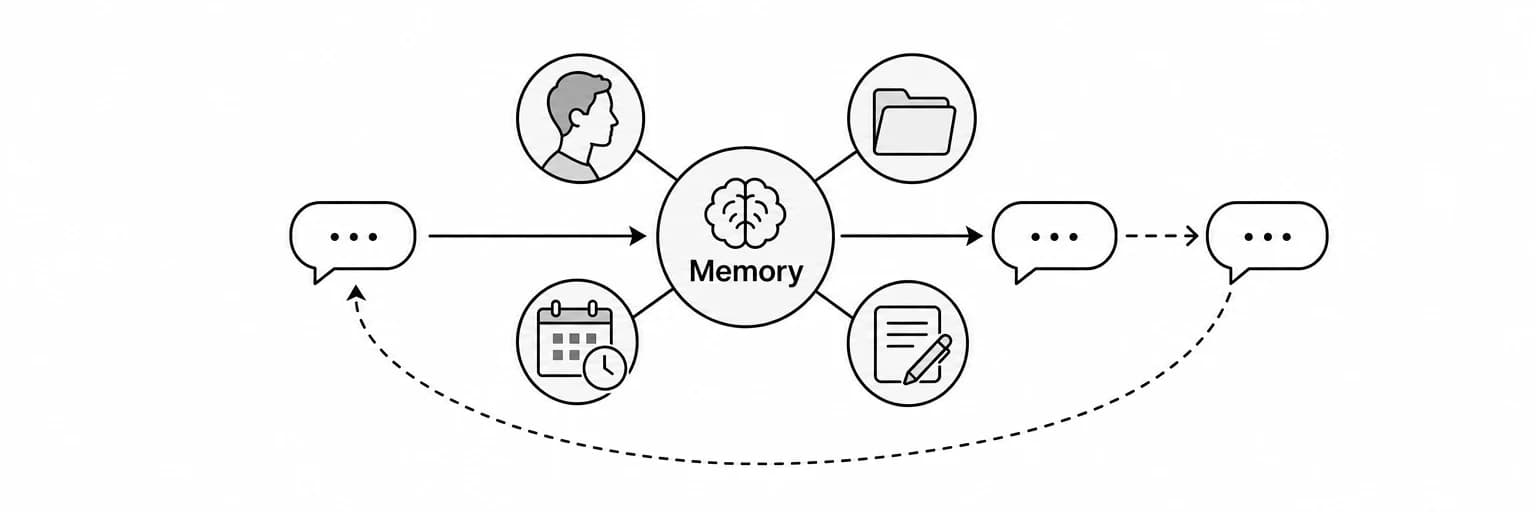
A personal AI assistant with memory can carry useful context from one request to the next. It can remember who a person is, what you decided about a project and how you prefer to communicate. That makes a later request easier to understand without requiring you to repeat the whole story.
The value of memory depends on how it is used. An assistant that remembers a stale deadline or applies a preference too broadly can create extra work. A good memory workflow includes a way to inspect the record, correct mistakes and distinguish personal context from authorization to act.
This guide explains the kinds of memory that matter, how Tend uses personal context and how to evaluate whether an assistant’s memory helps in your own routine.
Key takeaways
- Memory supports continuity: people, preferences and commitments can remain relevant after a conversation ends.
- Context needs scope: a preference for one client may not apply to every email.
- Corrections need to carry forward: the assistant should use the latest relevant fact.
- Visibility helps review: Tend’s Brain view lets you inspect what it has learned.
- Memory is not permission: remembering a recipient does not authorize sending them a message.
What persistent memory means
Persistent memory means information can remain available beyond the current conversation. A short chat may contain enough context for one answer, but ongoing assistance needs access to details from previous tasks as well.
Think of a project that lasts several weeks. You may discuss the client, the proposal, a deadline and a change in scope on different days. A personal AI agent needs to connect the relevant details when you ask for the next update.
The goal is to reduce repeated explanation while keeping the record accurate. It is not to treat every past statement as permanently true.
Chat history and personal memory
A transcript preserves what was said. Personal memory organizes information so it can be applied to a later task. The difference matters when the original conversation is long, the facts have changed or the current request concerns only one part of the history.
| Context source | What it is useful for | What to watch for |
|---|---|---|
| Current conversation | Understanding the request and immediate corrections | Earlier context may be missing |
| Conversation history | Revisiting the wording of a previous exchange | Important details can be buried or outdated |
| Personal preferences | Applying your usual tone, format or priorities | A preference may apply only to a specific situation |
| People and projects | Connecting a request to the relevant relationship and work | Similar names and overlapping projects can be ambiguous |
| Commitments and deadlines | Preparing follow-ups and next steps | Dates and responsibilities can change |
| Source documents | Checking the exact facts behind a task | A summary may omit a qualification that matters |
These sources work best together. A remembered summary can point to the right context, while the original document can supply the precise wording needed for a consequential decision.
What Tend’s personal memory can hold
Tend begins with a setup conversation about you and the work you want help with. Its Brain can hold people, organizations, preferences, projects, decisions and commitments learned through your interactions and connected context.
You can talk to Tend through SMS or iMessage, as well as its web workspace. Personal context matters in those text conversations too: a short follow-up can refer to the people and projects you have already discussed.
Examples of useful information include:
- A client’s role and the project you are working on together.
- Your preferred style for client emails.
- A decision about the scope of a proposal.
- A deadline that affects the next follow-up.
- A recurring constraint, such as a preferred meeting time.
- A correction that changes how a task should be handled.
The Brain view gives you a place to inspect this information. If a detail is wrong or no longer applies, correct it rather than allowing later requests to depend on it.
Example: an AI email assistant with memory
Suppose you tell your assistant that a client prefers concise updates and is waiting for a proposal. A week later, you ask it to draft a follow-up.
Useful memory can help it identify the relationship, the relevant project and your usual writing style. It should still check the current thread and avoid inventing a delivery date.
A clear request might be:
Draft a follow-up to the client about the proposal. Check the latest thread first. Keep it concise, include the unresolved scope question and do not promise a delivery date we have not agreed on.
When reviewing the draft, ask:
- Did it identify the correct client and project?
- Did it use the current state of the conversation?
- Did it apply the tone preference appropriately?
- Did it avoid unsupported commitments?
If the answer to one of these questions is no, give a precise correction and check how the next result changes.
Example: a project that changes over time
Project context is rarely static. A deadline moves, a stakeholder changes or the client revises the scope. An assistant with persistent memory should be able to incorporate that change without merging contradictory versions into one confident answer.
Be explicit when a fact replaces another:
- “The proposal deadline moved from Thursday to Monday.”
- “That budget applies to the research phase only.”
- “The new contact is handling approvals; the previous contact is no longer responsible.”
Then ask for a task that depends on the correction, such as an updated meeting brief. Check whether the obsolete detail is still being used. If necessary, inspect the memory view to verify what was retained.
How to give useful memory corrections
The most useful correction identifies the subject, the change and the scope. That gives the assistant enough information to apply it later without guessing.
Compare these examples:
| Less specific correction | More useful correction |
|---|---|
| “Make it shorter.” | “For this client’s updates, use three brief paragraphs and keep technical detail in the attachment.” |
| “That date is wrong.” | “The planning meeting moved to Monday; the proposal deadline is unchanged.” |
| “I don’t like that.” | “For internal briefs, separate established facts from recommendations.” |
| “Remember the new budget.” | “The revised budget applies to this trip, including the hotel but excluding flights.” |
Do not expect the assistant to infer a permanent preference from every edit. Say when a correction is local to one task and when it reflects the way you usually want work done.
Memory does not authorize an action
Knowing who someone is and how you normally write helps an assistant prepare a message. It does not, on its own, authorize sending that message. Likewise, remembering a travel preference does not authorize buying a ticket.
Keep three steps clear:
- Context: information the assistant can use to understand the task.
- Preparation: the draft, shortlist or proposed action you can inspect.
- Authorization: your instruction to perform a particular external step.
Tend’s agent instructions require your go-ahead before sending or changing things on connected accounts unless you have already authorized the action. Make that instruction specific when the recipient, wording or commitment matters.
How to evaluate an AI assistant with persistent memory
A practical evaluation uses a sequence of tasks, not a single impressive answer.
Step 1: introduce a small amount of context
Choose a project, a writing preference and a deadline. Provide enough detail to make a useful request, but avoid introducing dozens of unrelated facts.
Step 2: ask for a reviewable result
Request a short brief or email draft. Check whether the assistant used the context correctly and whether it made any assumptions.
Step 3: change one important detail
Move the deadline or narrow the scope. Say explicitly what changed and what stayed the same.
Step 4: return with a follow-up
Ask for the next update in a later conversation. See whether the assistant recalls the relevant information, uses the correction and asks about genuine ambiguity.
Step 5: inspect and maintain the record
Use the memory view, where available, to check the facts behind the request. Correct stale information and repeat the test with a different kind of task.
The useful measure is the amount of explanation and correction you still need to provide. Memory should make ongoing work easier to review as well as easier to start.
Frequently asked questions
Why does a personal AI assistant need memory?
Ongoing tasks depend on information from previous interactions. Memory can carry preferences, people, decisions and commitments into a new request so you do not have to rebuild the context each time.
Can an assistant remember something incorrectly?
Yes. It can misunderstand a statement, apply it too broadly or continue using a detail after it changes. Inspecting the record and providing scoped corrections helps you identify these problems.
Can I inspect Tend’s memory?
Tend’s Brain view shows the personal context the agent has learned. Review it when a task depends on an important fact, and correct information that is wrong or outdated.
Should I connect every account immediately?
Start with the account or source material needed for one useful task. Expand the context you provide when you have a clear purpose for doing so and understand the relevant connection settings.
How does memory affect comparisons with Muse AI or Instinct AI?
Look at continuity, correction behavior and visibility in the actual products. Our Tend vs. Muse AI and Tend vs. Instinct AI articles explain their documented approaches without assuming that memory is exclusive to Tend.
Put memory to work on one ongoing task
Choose a task you return to, such as a client update or a weekly planning brief. Give Tend the relevant context, ask for a draft and make one precise correction. Then return with a follow-up and review what it carries forward.
Get started with Tend or read the practical guide to what Tend does.